
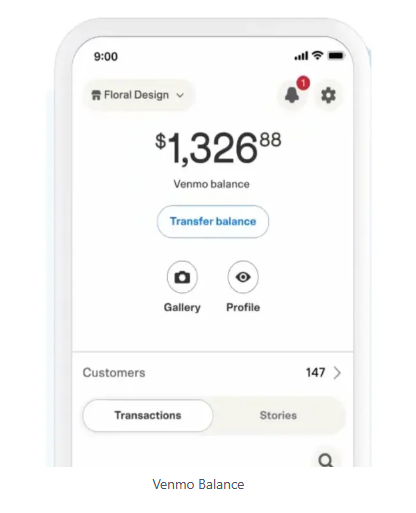
Venmo is a payment app that makes transferring bills, paying payments, and receiving funds quickly incredibly simple. However, its services come with certain restrictions that should be understood to avoid problems later. The Venmo limit lies within how much money can be transferred on any one day; this amount depends on whether users have completed identity verification in our app by clicking its settings icon and selecting "Identity Verification". Once verified users provide legal name, birth date, ID number to increase their limit.
Users can also set ATM withdrawal and purchase limits with debit cards to help stay within their expenditure budget, monitor spending habits, and avoid excessive spending, prevent fraudulent transactions or abuse of the platform as well as safeguard personal and professional finances separately. Venmo allows users to increase the amounts transferred by connecting to their bank account and granting it access to account data so it can determine whether increasing Venmo transfer limits is based on transaction history and activity levels.
What are the Venmo’s Transaction Limits and Restrictions?
Venmo places limits on transactions to protect users and ensure compliance with financial regulations. These restrictions depend on verification of your account as well as types of transactions being conducted; understanding these limits is vital for managing transactions effectively.
Below Mentioned are the Different Types of Limits on Venmo:
- Personal Payment Limits: They cover transfers between individuals.
- Limits for Bank Transfers: Like with Venmo payments, bank accounts often set limits on what amounts can be transferred via Venmo to their respective accounts.
What are the Daily, Weekly, and Monthly Transaction Limits on Venmo
Venmo's limits are determined based on weekly and daily transactions, as outlined here:
- Venmo Daily Transaction Limits: Venmo does not set explicit daily transaction limits; however, your transactions count toward weekly limits.
- Venmo Weekly Limits: The typical Venmo weekly limit for an unregistered account is $299.99; verified accounts, however, can pay up to $7000.00 in transactions between individuals as well as $25,000 worth of purchases per week.
- Venmo Monthly Limits: Although Venmo does not impose formal monthly limits, weekly transactions limits set a cap on how many transactions can take place within any 30-day period.
What is the Venmo’s Verification Process for Increasing Limits?
To increase Venmo limits, it is necessary to verify your account. Verification requires providing more details about yourself to confirm who you are and ensure compliance with U.S. financial regulations.
Follow These Steps to Verify Your Account
- Access the Verification Section via Venmo app by going into Settings, selecting Identity Verification, and tapping "Identity Verification."
- Provide Your Information: Provide your complete name, birthdate and last four digits of your Social Security Number (SSN). In certain instances, Venmo may ask for additional documents like identification cards with photos.
- As soon as your form has been submitted, Venmo reviews your information for verification - typically taking between minutes and several days depending on its complexity.
- By following this procedure, your account limits will be expanded significantly allowing more flexible transactions to take place.
How Can I Request a Limit Increase on Venmo?
If your requirements exceed the default Venmo sending limits even after verification, consider asking for a custom increment. Here is how:
- Contact Venmo Support To reach support options within the app, go through "Settings," then "Get Help."
- Clearly state why an increase is necessary - such as managing business payments or expecting additional transfers - so as not to mislead anyone. For instance, provide all relevant details when asking for an increase.
- Venmo may request supporting evidence such as proof of income, invoices, or any other financial documents to justify your request.
- Keep track of your request using either Venmo's app or email to stay informed about updates or any additional needs that arise. Their support team will inform you accordingly.
How to Manage Transactions Within Venmo’s Limits?
You can manage the Venmo transaction limits by taking the steps mentioned below:
- Be mindful of both spending and receiving restrictions to stay within budget. Regularly evaluate your activities.
- The verification process should be completed as quickly as possible to gain access to higher limits and make the most of any promotions that may arise.
- To avoid possible complications with large payments, try and spread them out over several weeks if possible.
- When using Venmo for business, creating a profile allows you access additional features and may allow for greater limits.
Comparison of Venmo’s Limits with Other Payment Apps Like PayPal
Venmo and PayPal, although owned by the same firm, provide services for different groups and have different transaction limits:
- Venmo is an easy and secure way to send and receive payments among individuals; verified accounts have higher limits of up to $7,000.
- PayPal offers more business-centric services; their limits can go beyond $60,000 when used by authentic users.
Venmo stands out as an easier and faster payment solution when used occasionally compared to PayPal due to its ease and social features. PayPal may have more restrictive limits, yet Venmo makes for the better choice when transactions occur infrequently.
FAQ
How do I increase my Venmo limit?
To increase the size of your Venmo limit, first complete account verification by providing SSN and personal details about yourself. For additional increases call Venmo support directly.
What is the Venmo weekly limit for verified accounts?
Verified accounts can make payments of up to $7,000 weekly for person-to-person transactions and up to $25,000 when approved purchases.
Can I request a higher limit on Venmo?
Yes, if you call Venmo support and submit additional information.
Why was my Venmo transaction declined?
Your Venmo transaction may be declined if it exceeds the limits of your account, or there are issues with the payment method you have linked.