
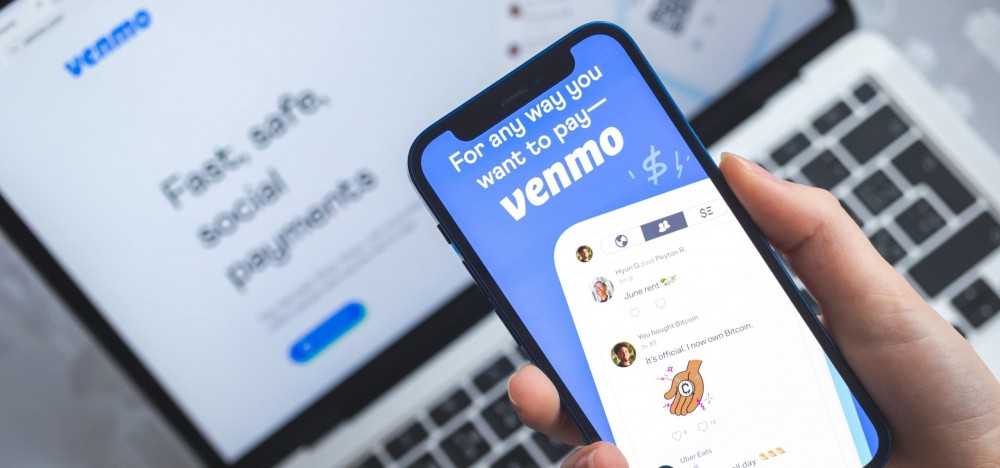
Venmo provides an easy, secure, and safe method to send and receive money. It can be used for anything from splitting costs for dinner and concert tickets to paying back rent that has been owed quickly and efficiently. Once a transaction is approved, it will either be sent directly to its recipient, or processed with a 1.75 percent processing fee (whichever they prefer). Social features distinguish this app from other digital payment options. Your transactions or requests can include notes, emojis, and any other type of information.
To use Venmo more effectively, start by setting up an account either your phone number or email address and linking it with any bank account that you own. Moreover, online banking also makes this transfer simple, go to the bill pay section and add Venmo when asked. As one of the most widely used payment services across America, it is important that you under how Venmo work to send money to ensure safe use of platform. Let’s begin and explore this app together.
What is Venmo, How Does It Work, and Is It Safe to Use?
Venmo owned and manged by PayPal, allows users to quickly transfer money through mobile applications. Since 2009 it has gained much acclaim due to its user-friendliness and social features which enable people to add notes, emojis and tag individuals when making transactions. Venmo allows people to pay for goods and services quickly as well as transfer funds directly into bank accounts or split payments in real-time with other users. Here is how Venmo Works:
- Transfer Money: With Venmo, you can transfer funds instantly between accounts and to contact list. You can link your Venmo account directly with credit/debit/bank account, so payments are processed immediately.
- Pay Money: You can even cash out money directly from your Venmo balance, using it for further payments or moving it directly to bank accounts.
How Does Venmo Work to Send Money Without a Bank?
If you want to send money through Venmo without bank account, you need to link a debit or credit card. By linking a card, you can easily withdraw funds from your Venmo account. Here is how it works:
- Link Your Credit or Debit Card: If you do not have a bank account, you can link a credit/debit card with Venmo. When making payments through Venmo, money will quickly transfer over and be deposited back onto that linked card as part of their service.
- Venmo Balance: If you have funds in your Venmo Balance from relatives or reimbursement, they can be used without needing an account at a bank or card company to make payments without having to open one first.
How Does Venmo Work to Send Money to a Bank Account?
You can easily send money from Venmo to bank account. For this you have two options- Standard transfer and instant transfer. Here is how to works:
Venmo Standard Transfer: When you choose standard transfer method on Venmo, you can transfer money from Venmo to bank account which may take 1-3 business days. There are no associated fees with the Venmo standard transfers. You need to follow the steps mentioned below for Venmo standard transfer:
- Open the Venmo app and tap on its icon.
- Select “Manage Balance”
- Next in the Transfer to Bank drop down, make your selection
- After this enter amount, you would like to transfer.
- At last, recheck all the details before you confirm the transfer.
Venmo Instant Transfer: Venmo offers instant transfer services when funds need to be transferred quickly, such as funds going from linked bank account directly into another. However, a 1 per cent fee applies for instant transfers with minimum charges starting at $0.25 and maximum costs reaching $10. Below mentioned are the steps for Venmo instant transfer:
- Sign in to the Venmo application and click on its icon.
- Touch Balance Your Account. For instantaneous transfers to Bank, select Transfer-to-Bank then select Instant for instant payment.
- Confirm the amount you wish to transfer by tapping "Transfer."
How to Use Venmo to Receive Money?
You can easily receive money through Venmo. Once someone transfers your money and you can accept it. The funds will automatically appear in your Venmo balance, where you have two options for using them. You can either keep these funds for your future transactions and transfer it directly into one of your linked bank accounts. Here is how to use Venmo to receive money:
- Receive Payments: Venmo will notify you whenever someone send money directly into your Venmo balance, you can check it into your balance.
- Using Your Balance: After receiving money, you can use your balance by directly paying other Venmo users or using the Venmo debit card. You may also deposit it into an acceptable bank or debit card account.
How Do I Use Venmo for the First Time?
If you are using Venmo for the first time, you need to first create an account. Here is how to do it:
- Install the Venmo app from Apple store of Google Play Store.
- Once installed, open the app and create a Venmo account
- Click on the “Sing Up” and provide personal details including your email, phone number etc.
- After this link a payment method with Venmo- you can link a bank account and credit or debit card, so that you can easily send and receive funds.
- Once, your account has been created and you have linked a payment method, you can easily send and receive money through Venmo.
How Do I Transfer Money from My Bank to Venmo?
To transfer money from your bank account into your Venmo account, follow these steps.
- Link a Bank Account with Venmo: If you have not already done so go into Settings in Venmo app and link your bank account.
- Add Funds: Once your accounts have been linked, to add funds click the icon, Manage Balance, then Add Funds and choose how much of an amount you would like transferred directly into your bank account.
- Full Transfer: Simply follow these steps to complete a transaction and see your money show up in three to five business days on Venmo.
How to Pay Someone with Venmo Balance
Follow these simple steps to pay someone using your Venmo balance:
- Open the Venmo app and tap on Pay or Request.
- Enter the Username or Email Address of the Recipient
- Enter the total amount that you would like to transfer.
- Select Your Venmo Balance as Your Preferred Payment Method by default.
- Note or memo (optional), then click Pay.
- Venmo will utilize your balance when there are enough funds in it to cover a transaction, with any gaps being paid with credit/debit card as the default option.
How to Pay Someone Using Venmo?
Here is how to pay someone using Venmo:
- Open the Venmo on your phone.
- Click "Pay or Request" in the app.
- Enter user data such as username, telephone number and email address.
- Add the amount to your spreadsheet, along with any necessary notes.
- Select your payment method of choice (Venmo balance or linked bank debit, credit card).
- Hit Pay. And your recipient will be immediately informed, while money will be sent from Venmo directly into their Venmo account.
How Do I Transfer Money into Venmo?
To transfer money with Venmo, simply link up your bank account or debit card. Here is how to transfer money into Venmo:
- Open the Venmo on your smartphone.
- Tap the icon and choose to Manage Balances.
- Click "Add Funds," enter the amount, and confirm the transaction.
- Your card will then be charged, with money appearing in your Venmo balance within several days.
FAQ
How do I send money on Venmo?
To use Venmo to send money, open the app, tap Pay/Request, enter in recipient details and amount, select payment method, and then tap Pay to complete transaction.
Can I send money on Venmo without a bank account?
Yes, Venmo makes money transfer easy by connecting either a credit or debit card and not an account with a bank. Or use your Venmo balance if it exists!
How do I transfer money from my bank to Venmo?
Transfer funds between bank accounts and Venmo by connecting both, managing balance, adding funds, and then confirming. When complete, your funds will appear in Venmo balance.
How do I pay someone using my Venmo balance?
To use funds from your Venmo balance to pay someone else, enter their payment information, choose Venmo Balance as the method of payment, and complete your transaction.