

Introduction
Modern businesses run on conversations, emails, calls, messages, and the occasional frantic sticky note stuck to a laptop screen. Somewhere between chasing leads and replying to customers, teams discover an uncomfortable truth: manual work quietly eats productivity. CRM automation enters the scene like the organized friend who labels everything in the fridge, annoying at first, indispensable later. By handling repetitive tasks—follow-ups, reminders, and data updates it frees teams to focus on meaningful work. Many organizations now turn to custom crm software to tailor automation around their workflows, because efficiency rarely comes from one-size-fits-all solutions.
The Growing Need for Automation in Business Operations
Business operations once survived on spreadsheets, shared folders, and optimistic memory. That system worked—until growth arrived. Suddenly, leads multiply, emails pile up, and customer records scatter across tools. Manual processes slow progress, and important details slip through the cracks. Automation emerged not as a luxury but as a survival tool for modern organizations. CRM automation organizes information, routes tasks, and keeps workflows moving without constant human nudging. Teams spend less time hunting for customer details and more time acting on them. Efficiency improves when systems quietly manage the repetitive background work that once consumed entire afternoons.
What CRM Automation Actually Means
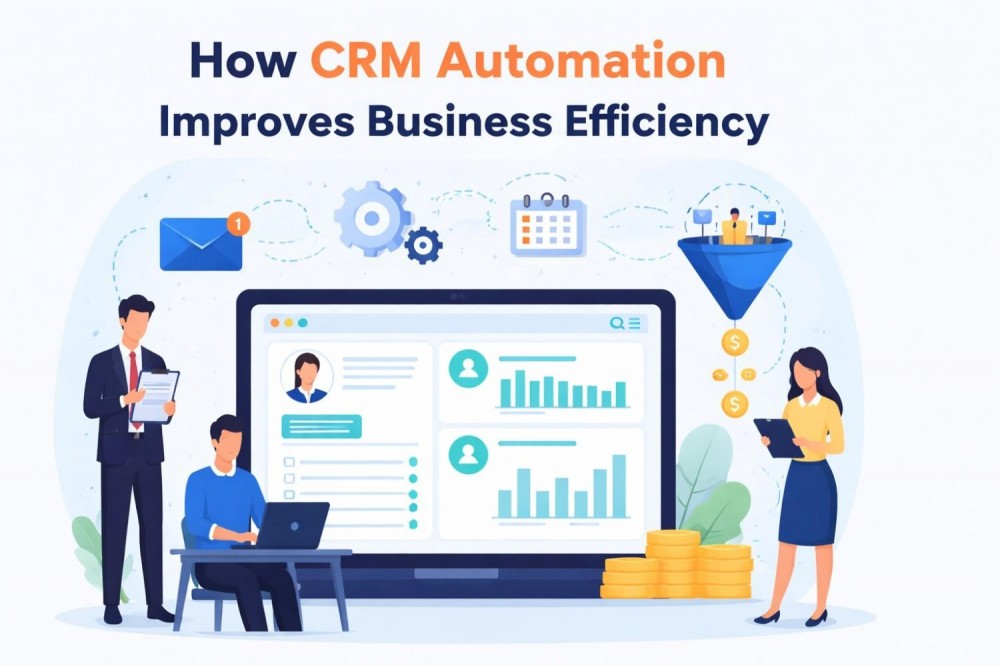
CRM automation refers to using software to automatically perform tasks related to customer management and sales processes. Instead of manually updating records, sending reminders, or assigning leads, the CRM platform performs these steps based on predefined rules. For example, a new lead submission might automatically trigger an email response, assign the lead to a sales representative, and create a follow-up task. The goal is simple: reduce repetitive administrative work while improving consistency. Automation does not replace people; it removes routine tasks that rarely require creativity, judgment, or caffeine-fueled concentration late in the afternoon.

Eliminates Repetitive Administrative Tasks
Administrative tasks often consume more time than anyone expects. Entering contact details, updating deal stages, and logging communications may sound minor, yet together they quietly dominate a workday. CRM automation reduces this burden by automatically capturing customer data, tracking interactions, and updating records in real time. Sales representatives can focus on building relationships rather than managing spreadsheets. Instead of spending hours on data entry, teams concentrate on conversations that actually generate revenue. Over time, eliminating these repetitive tasks creates noticeable productivity gains—and fewer sighs during Monday morning status meetings.
Speeds Up Lead Management
Speed matters in sales. A lead that receives a quick response often becomes a customer, while delayed follow-ups quietly disappear. CRM automation accelerates lead management by instantly capturing inquiries from websites, emails, and forms. The system automatically assigns leads to the appropriate team member and schedules follow-up reminders. This immediate action prevents opportunities from slipping through the cracks. Businesses that rely on automated lead workflows frequently notice improved response times and stronger engagement. When automation handles the routing and reminders, sales teams can focus on meaningful conversations rather than scrambling to track new prospects.
Improves Team Collaboration
Customer relationships rarely belong to a single department. Sales, marketing, and support teams all interact with the same individuals, which makes shared information essential. CRM automation centralizes customer data so everyone sees the same timeline of conversations, purchases, and support requests. Automated updates ensure that information stays current without constant manual input. Teams collaborate more effectively because everyone understands the full customer story. Duplicate work decreases, misunderstandings fade, and communication improves. Collaboration becomes smoother when the CRM quietly keeps everyone aligned—almost like a digital project manager who never sleeps or forgets a meeting.
Enhances Customer Experience
Customers rarely notice internal workflows, but they definitely notice delays, repeated questions, and inconsistent communication. CRM automation helps prevent those frustrations. Automated reminders ensure timely responses, while centralized data allows teams to personalize interactions based on past conversations. Emails arrive when expected, follow-ups occur on schedule, and customer requests reach the correct department quickly. These small improvements create a smoother experience that feels attentive and professional. Customers often interpret this efficiency as exceptional service—even though much of the work happens quietly behind the scenes through automation and well-designed CRM workflows.
Provides Real-Time Insights
Business decisions become easier when accurate information appears at the right moment. CRM automation continuously collects and organizes data from sales activities, customer interactions, and marketing campaigns. Dashboards and automated reports transform this information into clear insights that leaders can review instantly. Instead of waiting for weekly updates or manually compiling spreadsheets, managers see performance trends in real time. This visibility supports faster decisions and smarter strategies. Reliable insights help organizations identify successful tactics, adjust underperforming campaigns, and allocate resources more effectively—because efficiency depends on understanding what truly drives results.

Real Example: A Small Automation That Saved Hours
A small sales team once relied on a shared spreadsheet to track follow-ups. Predictably, reminders disappeared beneath dozens of other tasks. One simple CRM automation changed everything: each new lead triggered an automatic follow-up task and reminder email. Within weeks, missed opportunities declined noticeably. Sales representatives joked that the CRM had become the most reliable member of the team—never distracted, never late, and immune to coffee breaks. The lesson was simple: automation does not need to be complex to create impact. Sometimes a single well-designed workflow quietly saves hours of effort each week.
Why Businesses Invest in Custom CRM Automation
Every organization operates differently. Some rely heavily on marketing campaigns, while others focus on long sales cycles or recurring customer relationships. Off-the-shelf CRM platforms provide useful features, but they cannot always match specific business processes. That gap often leads companies to explore custom crm software development services that design automation tailored to unique workflows. Customized systems can integrate internal tools, automate industry-specific tasks, and adapt as operations evolve. When automation reflects real business needs rather than generic assumptions, teams experience smoother processes and measurable improvements in productivity.
Role of a CRM Developer in Automation
Behind every effective automation system stands thoughtful design. A crm developer analyzes business workflows, identifies repetitive tasks, and transforms those processes into automated rules within the CRM platform. This role often involves integrating external tools, configuring workflows, and ensuring that automation operates reliably across departments. Developers also refine systems as companies grow, adjusting automation to support new products or customer interactions. While automation may appear simple on the surface, careful technical planning ensures that every automated action supports efficiency without creating confusion or unintended consequences.
Common CRM Automation Features Businesses Use
Most CRM platforms include automation features designed to simplify daily operations. Email automation schedules follow-ups and marketing messages automatically. Lead scoring systems rank prospects based on behavior and engagement, helping sales teams focus on promising opportunities. Pipeline automation moves deals through stages as actions occur. Customer support automation routes service tickets to the correct department. Marketing automation tracks campaign engagement and schedules outreach. Together, these tools create an organized ecosystem where routine activities occur automatically. The result is a workflow where teams spend less time managing processes and more time strengthening customer relationships.
Challenges Businesses Face Without CRM Automation
Organizations that rely entirely on manual processes often encounter familiar problems. Leads go unanswered because someone forgets a follow-up. Customer information becomes scattered across spreadsheets and email threads. Sales teams duplicate work because records are outdated or incomplete. Decision-makers struggle to access accurate data quickly. Over time, these small inefficiencies accumulate and slow the entire business. Without automation, employees must constantly monitor routine tasks instead of focusing on strategy and growth. CRM automation addresses these issues by creating structured processes that operate consistently—even during busy weeks when attention is divided.
Best Practices for Implementing CRM Automation
Successful CRM automation begins with identifying tasks that repeat frequently. Data entry, follow-ups, and lead assignments often provide the most immediate value. Businesses benefit from starting with simple workflows rather than attempting large, complex automation systems at once. Proper team training ensures employees understand how automation supports their work rather than replacing it. Regular reviews help refine workflows and adapt them to changing business needs. Gradual implementation often produces the best results because teams gain confidence while the system evolves. Thoughtful planning transforms automation from a technical feature into a practical productivity tool.
The Future of CRM Automation
CRM automation continues evolving as technology advances. Artificial intelligence now assists with predicting customer behavior, recommending sales actions, and identifying opportunities hidden in large datasets. Future systems may analyze communication patterns and automatically suggest the best moment to contact a prospect. Integration between CRM platforms, marketing tools, and analytics systems will likely become even more seamless. As automation grows more intelligent, businesses will rely less on manual coordination and more on data-driven workflows. Efficiency will increasingly come from systems that anticipate needs rather than simply reacting to tasks.
Conclusion
Efficiency rarely arrives through dramatic changes. More often, it appears quietly through systems that handle routine work reliably. CRM automation follows this pattern. By organizing customer data, scheduling tasks, and streamlining communication, it allows teams to focus on strategy, relationships, and growth. Businesses that adopt automation often discover something unexpected: productivity improves not because employees work harder, but because unnecessary work disappears. In a world where time remains the most limited resource, automation simply ensures that energy goes toward meaningful efforts instead of repetitive administrative tasks.
FAQs
What is CRM automation?
CRM automation uses software to perform repetitive tasks such as follow-ups, lead assignments, and customer data updates automatically.
How does CRM automation improve business efficiency?
It reduces manual work, improves response times, and organizes customer information in a centralized system.
Is CRM automation useful for small businesses?
Yes, automation helps small businesses manage leads and customer interactions efficiently without increasing staff workload.
Can CRM automation integrate with other business tools?
Most CRM systems integrate with marketing platforms, email tools, analytics software, and customer support systems.
Do businesses need a CRM developer for automation?
Complex automation workflows and integrations often require assistance from an experienced crm developer to ensure reliable performance.





