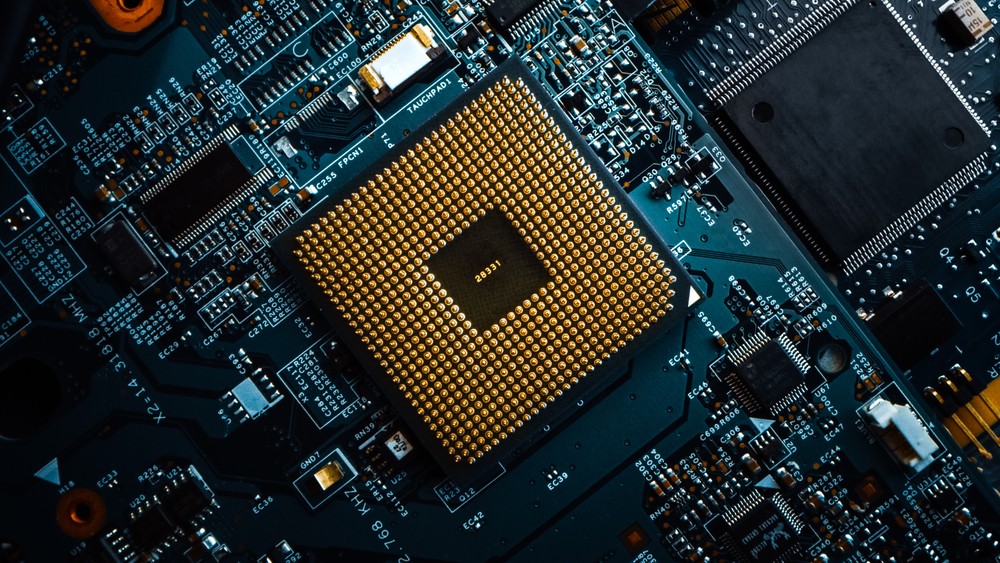
The motherboard is the backbone of any computer system, connecting all components and ensuring seamless communication between them. While primary motherboard components like the CPU socket, RAM slots, and PCIe slots receive most of the attention, several lesser-known parts fall under "Motherboard Miscellaneous." These components are crucial for ensuring stability, compatibility, and performance in IT hardware. In this guide, we will explore the various miscellaneous motherboard components and their significance in modern computing.
What is Motherboard Miscellaneous?
Motherboard miscellaneous refers to the small yet essential components on a motherboard that contribute to its functionality and longevity. These include capacitors, resistors, voltage regulators, jumpers, headers, BIOS chips, and connectors that enhance the overall performance of a system. Whether you are a PC builder, IT professional, or hardware enthusiast, understanding these parts will help you make informed decisions while upgrading or troubleshooting computer hardware.
Key Components of Motherboard Miscellaneous
1. BIOS Chip and CMOS Battery
The BIOS (Basic Input/Output System) chip is an essential part of any motherboard, responsible for booting up the system and managing communication between hardware and software. The CMOS (Complementary Metal-Oxide-Semiconductor) battery stores system settings such as time, date, and BIOS configurations. A failing CMOS battery can lead to issues like incorrect system time and BIOS reset errors, making it a vital component in IT hardware.

2. Voltage Regulators and Capacitors
Voltage regulators ensure that different components on the motherboard receive the correct power levels. These regulators, along with capacitors, help stabilize voltage fluctuations and prevent hardware damage. High-quality capacitors play a significant role in motherboard longevity, making them an essential factor to consider when purchasing computer hardware.
3. Chipsets and Heat Sinks
Motherboard chipsets control data flow between the processor, memory, and peripherals. Modern chipsets are equipped with built-in support for overclocking, multiple GPU configurations, and high-speed connectivity. Heat sinks, often seen covering chipsets and VRMs (Voltage Regulation Modules), help dissipate heat and maintain stable performance during heavy workloads.
4. Jumpers and Headers
Jumpers are tiny pins that allow users to configure hardware settings manually. They are used for clearing BIOS settings, enabling USB power delivery, and setting up RAID configurations. Headers, on the other hand, are connectors for USB ports, front panel buttons, audio jacks, and RGB lighting. Understanding how to use jumpers and headers properly can help in troubleshooting and customizing a PC.
5. PCIe and Expansion Slots
While PCIe slots are well-known for connecting GPUs, sound cards, and network adapters, some motherboards include additional expansion slots for specialized hardware. These may include M.2 slots for NVMe SSDs, U.2 connectors for enterprise storage, and legacy PCI slots for older expansion cards.
6. Power Connectors and Fan Headers
Motherboards feature multiple power connectors to distribute power to different components. The 24-pin ATX connector powers the motherboard, while additional 4/8-pin connectors supply power to the CPU. Fan headers allow users to connect and control cooling solutions, ensuring optimal temperature management within the system.

7. Debug LEDs and Post Code Displays
High-end motherboards often come with debug LEDs or a post-code display to help diagnose startup issues. These indicators provide error codes that assist in identifying hardware failures, making troubleshooting easier for IT professionals and enthusiasts.
Importance of Motherboard Miscellaneous in IT Hardware
Motherboard miscellaneous components play a crucial role in ensuring system stability, efficiency, and longevity. They help regulate power, maintain optimal performance, and enhance connectivity. Here are some reasons why understanding these components is essential:
-
Enhanced System Stability: High-quality capacitors and voltage regulators prevent fluctuations that could damage the motherboard.
-
Better Troubleshooting: Knowing how to use jumpers, debug LEDs, and BIOS settings can help diagnose and fix issues effectively.
-
Customization and Upgradability: Expansion slots, headers, and connectors provide flexibility for future upgrades.
-
Improved Performance: Efficient heat dissipation through VRMs and heat sinks ensures that your system runs at optimal temperatures.
Tips for Choosing a Motherboard with Quality Miscellaneous Components
-
Look for High-Quality Capacitors – Opt for motherboards that use Japanese solid capacitors, as they offer better durability and stability.
-
Check for VRM Design – A well-designed VRM ensures efficient power delivery to the CPU, making it essential for overclocking.
-
Consider Debug Features – Post code displays and debug LEDs can make troubleshooting easier, saving time and effort.
-
Verify Expansion and Connectivity Options – Ensure that the motherboard includes sufficient USB, PCIe, and M.2 slots for your needs.
-
Read Reviews and Comparisons – Checking user feedback and expert reviews can help in selecting a reliable motherboard for IT hardware setups.
Conclusion
Motherboard miscellaneous components may not always be in the spotlight, but they play an essential role in maintaining a stable and efficient computer system. From voltage regulators to expansion slots, each part contributes to the overall functionality of the motherboard. By understanding these elements, IT professionals and computer enthusiasts can make informed decisions when choosing and upgrading computer hardware. Whether you're building a new PC or troubleshooting an existing one, paying attention to motherboard miscellaneous can lead to better performance, longevity, and reliability in IT hardware.
By keeping an eye on these crucial yet often overlooked components, you can optimize your system for both current and future computing needs.