

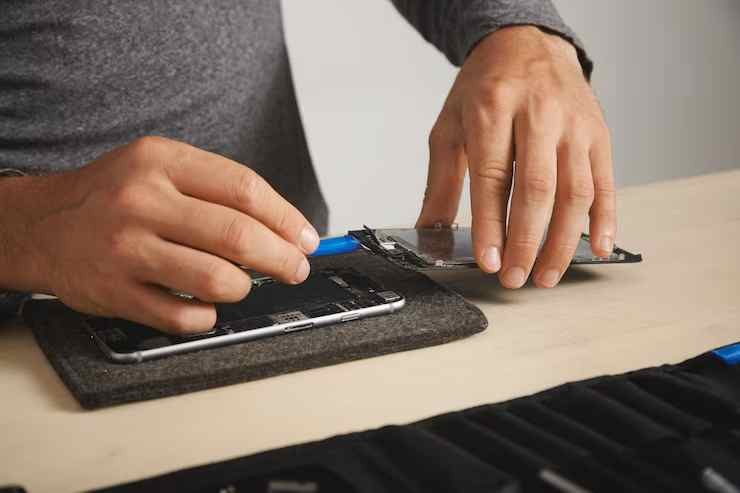
A cracked or damaged phone screen can be a frustrating experience, and while a screen replacement restores the phone’s functionality and aesthetics, protecting your device after the replacement is equally important. After investing in a new screen, ensuring its durability and preventing future damage should be a top priority.
LabX in Australia offers expert mobile repair services for complex issues, including screen replacements, battery replacements, water damage restoration, and more. Their highly skilled technicians use advanced tools to deliver high-quality repairs, ensuring your device is restored to full functionality. With reliable, efficient service, LabX is your go-to solution for complex mobile repairs in Australia.
Whether you’ve had your screen replaced due to an accidental drop or wear and tear, taking proactive steps can extend the life of your phone and maintain its performance. In this article, we’ll explore the best ways to protect your phone after a screen replacement, ensuring that it remains in pristine condition for as long as possible.

1. Allow Proper Time for Adhesive to Cure
When you get your phone screen replaced, it’s important to allow the adhesive that secures the screen to the device to fully cure. This adhesive typically requires around 24-48 hours to set completely, depending on the type used by the technician.
Why Curing Time Matters:
- Moving or applying pressure to the screen before the adhesive sets can cause misalignment or weaken the bond.
- Exposing the phone to moisture or extreme temperatures during this period can interfere with the curing process.
Tips for Ensuring Proper Curing:

- Avoid placing the phone in your pocket or any tight space immediately after the replacement.
- Refrain from applying pressure on the screen or using heavy-duty phone cases during the curing period.
2. Invest in a High-Quality Screen Protector
A screen protector is one of the most effective ways to prevent future damage to your newly replaced screen. Modern screen protectors are available in various materials, including tempered glass and plastic film, offering different levels of protection.
Benefits of Using a Screen Protector:
- Provides an additional layer of protection against scratches, cracks, and smudges.
- Reduces the impact of accidental drops by absorbing some of the force.
- Prevents fingerprints and oil buildup, keeping your screen clean.
How to Choose the Right Screen Protector:
- Opt for a tempered glass protector, as it offers superior protection compared to plastic films.
- Ensure the protector is specifically designed for your phone model to guarantee a perfect fit.
- Consider anti-glare or privacy screen protectors for added benefits.
3. Use a Durable Phone Case
A durable phone case adds an extra layer of protection by absorbing shock and minimizing the risk of damage during falls or impacts. With various types of phone cases available, choosing the right one can make a significant difference in protecting your phone after a screen replacement.
Types of Phone Cases to Consider:
- Rugged Cases: Ideal for individuals who work in harsh environments or are prone to dropping their phones.
- Slim Cases: Provides basic protection while maintaining the sleek look of your phone.
- Wallet Cases: Offers additional features such as card slots and covers that protect the screen when not in use.
LabX in Australia not only specializes in complex mobile phone repairs but also offers a comprehensive Mobile Phone Repair Course. From beginner to advanced levels, the course covers everything from basic troubleshooting to intricate repairs. It provides hands-on training, equipping students with the skills and knowledge needed to excel in the mobile repair industry.
Tips for Choosing a Durable Case:
- Ensure the case covers the corners and edges, as these areas are most vulnerable to impact.
- Look for cases made from shock-absorbing materials like silicone or TPU (thermoplastic polyurethane).
- Consider a case with raised edges around the screen to prevent direct impact if the phone falls face down.
4. Be Mindful of Temperature and Moisture Exposure
Extreme temperatures and moisture can affect the integrity of your newly replaced screen and the internal components of your device. It’s essential to protect your phone from these environmental factors to maintain its performance.
Why Temperature and Moisture Matter:
- High temperatures can weaken the adhesive holding the screen in place, causing it to detach.
- Moisture can seep into the phone and damage internal components, leading to further repairs.
How to Protect Your Phone:
- Avoid leaving your phone in direct sunlight, especially during summer months.
- Keep your device away from water and humid environments.
- Use a waterproof case if you’re in situations where your phone may be exposed to moisture.
5. Avoid Placing Heavy Pressure on the Screen
After a screen replacement, the new screen may be slightly more vulnerable to damage. Applying excessive pressure on the screen can compromise its structural integrity and shorten its lifespan.
How to Prevent Pressure Damage:
- Avoid placing heavy objects on your phone or sitting on it when kept in your pocket.
- Use a phone holder or mount when driving to prevent accidental pressure on the screen.
- Handle your device gently, especially during the first few days after replacement.
6. Regularly Clean Your Phone Screen
Maintaining a clean screen not only enhances the visual clarity of your phone but also prevents the buildup of dirt and grime that can lead to scratches and long-term damage. Regular cleaning removes oil, fingerprints, and debris that can wear down the screen over time.
Best Practices for Cleaning Your Screen:
- Use a microfiber cloth to wipe the screen gently.
- Avoid using harsh chemicals or abrasive cleaners that can damage the screen’s coating.
- Consider using a screen-safe disinfectant to keep your phone free of germs.
7. Enable Gesture Controls to Minimize Screen Usage
Modern smartphones come with a variety of gesture controls that reduce the need for constant screen tapping and swiping. Enabling these features minimizes wear and tear on your newly replaced screen.
Benefits of Gesture Controls:
- Reduces physical contact with the screen, lowering the risk of scratches.
- Enhances the overall lifespan of the screen by minimizing stress on touch sensors.
How to Enable Gesture Controls:
- Go to your phone’s settings and look for gesture or motion control options.
- Enable features such as double-tap to wake, swipe gestures for navigation, and screen-off gestures for quick actions.
8. Be Cautious with Screen Protectors and Cases During Removal
When replacing or cleaning your screen protector or phone case, exercise caution to prevent accidental damage. Improper removal techniques can put unnecessary stress on the screen and weaken its bond with the adhesive.
How to Safely Remove a Screen Protector or Case:
- Use a plastic card or a designated removal tool to gently lift the edges.
- Avoid using excessive force that could crack or dislodge the screen.
- Clean the screen thoroughly before applying a new protector or case.
9. Backup Your Data Regularly
While protecting your phone’s screen is essential, it’s equally important to back up your data regularly. Accidental drops and damage can still occur despite taking precautions, and having a backup ensures that your valuable data is safe.
Recommended Backup Options:
- Use cloud storage services like Google Drive, iCloud, or OneDrive.
- Enable automatic backups to ensure your data is updated regularly.
- Consider creating a physical backup using an external hard drive or computer.
10. Schedule Regular Checkups with a Professional
Just like any other electronic device, your phone benefits from regular checkups to ensure that it remains in optimal condition. Scheduling periodic visits to a professional repair service can help identify potential issues before they escalate.
Why Regular Checkups Are Important:
- Technicians can assess the adhesive’s condition and ensure the screen is securely attached.
- Early detection of issues such as loose parts or moisture buildup can prevent costly repairs.
- Professional cleaning and maintenance prolong the lifespan of your phone.
11. Educate Yourself on Proper Phone Handling
Educating yourself and your family members on proper phone handling techniques can significantly reduce the risk of damage after a screen replacement. Many accidents occur due to mishandling or carelessness, which can be easily avoided with a few simple guidelines.
Tips for Proper Phone Handling:
- Use both hands when operating your phone to minimize the risk of accidental drops.
- Avoid placing your phone on uneven surfaces where it could slip or fall.
- Store your phone in a safe location when not in use to prevent accidental damage.
12. Purchase Device Insurance for Additional Protection
If you’re concerned about the potential cost of future repairs, device insurance is a worthwhile investment. Many service providers offer insurance plans that cover accidental damage, including screen replacements.
Benefits of Device Insurance:
- Provides financial protection against unforeseen damage.
- Covers repair costs for accidental drops, water damage, and hardware failures.
- Offers peace of mind knowing that your device is protected.
Conclusion: Safeguarding Your Investment
Protecting your phone after a screen replacement requires a combination of preventive measures and responsible handling. From using high-quality screen protectors and durable cases to avoiding moisture and temperature extremes, these steps ensure that your phone remains in optimal condition. Regular cleaning, enabling gesture controls, and scheduling checkups further enhance the longevity of your device. By taking proactive measures, you can safeguard your investment and enjoy a fully functional phone for years to come.





