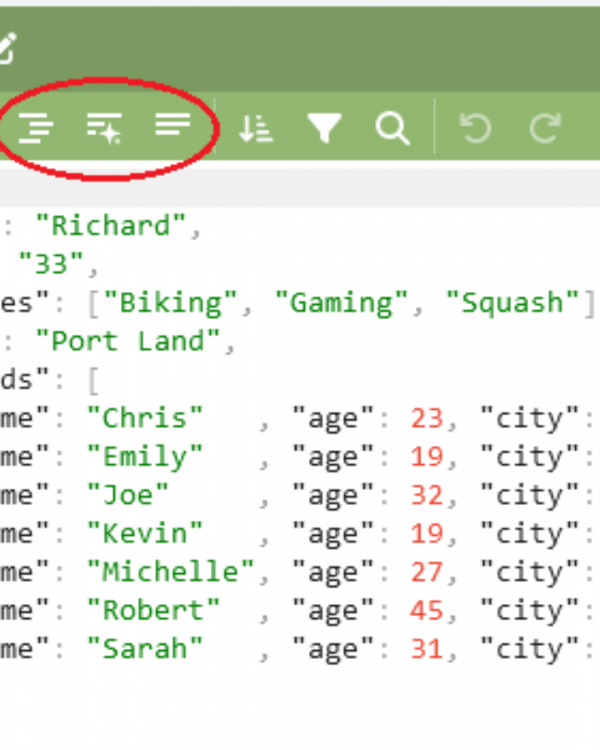
When dealing with APIs, data exchanges, or configuration files, one format appears everywhere — JSON. It’s lightweight, easy to read, and commonly used. But JSON is very strict with its structure. A missing comma or bracket can break everything. That’s where tools like a json validator, json corrector, and JSON Validator & Formatter come into play.
In this guide, we’ll discuss how using a powerful tool like jParse helps users easily manage JSON data online. You’ll understand how to validate, correct, and format JSON files — whether you’re a developer, tester, or just working with raw data.
Why JSON Format Needs Special Attention
JSON (JavaScript Object Notation) is used to send data between systems. It's simple — just key-value pairs in a specific format. But it's also strict:

-
Every key must be in double quotes.
-
Commas are required between items in arrays or objects.
-
Brackets and braces must match perfectly.
Even small mistakes can cause errors in your system or API. That’s why using a json validator online is essential before you work with any data.
What Is a JSON Validator?
A json validator is a tool that checks your JSON code to make sure it follows correct syntax. It scans the data and shows where the issue is if something is wrong.

Benefits of Using a JSON Validator:
-
Saves time by pointing out exact line errors
-
Prevents API failures due to malformed data
-
Improves data accuracy for production use
-
Quickly validates complex files in seconds
At jParse, our json validator online ensures your files are always correct, clean, and ready to use.
What Is JSON Verification?
JSON verification means checking that the structure of your data is not only correct in syntax but also makes logical sense. For example:
-
Are all required keys present?
-
Are the data types correct (string, number, object)?
-
Are nested elements valid?
Using jParse, you don’t just validate your JSON — you also perform json verification to ensure complete integrity.
Why You Need a JSON Corrector
Even experienced developers make syntax mistakes in JSON. A json corrector automatically identifies errors and provides suggestions to fix them.
You can:
-
Paste your broken JSON
-
See error lines highlighted
-
View fixed version instantly
-
Format it for easy reading
The json corrector tool on jParse helps you recover and correct data quickly, saving hours of manual debugging.
Importance of Formatting JSON
Poorly formatted JSON is hard to read. Imagine scrolling through a single-line 5,000 character string. That’s where a JSON Validator & Formatter comes in.
What It Does:
-
Adds indentation
-
Breaks elements into readable lines
-
Organizes keys and values
-
Makes nested data easier to follow
On jParse, our json formatter and validator does both in one click: check syntax and format for clarity.
Why Use jParse as Your JSON Tool?
When looking for a complete tool, jParse stands out. It’s designed to handle every aspect of working with JSON:
-
Validate JSON online instantly
-
Correct errors in real-time
-
Format and beautify your code
-
Ensure verification for logic and structure
-
Works on desktop and mobile without downloads
Our tool combines the features of a json validator, json corrector, and JSON Validator & Formatter in one platform.