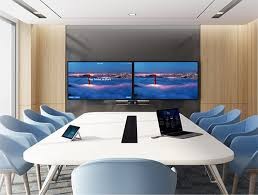
In today’s fast-paced business world, small meeting rooms need big technology solutions. Enter the Yealink A20—an all-in-one video conferencing bar that transforms compact spaces into high-performance communication hubs. With businesses increasingly adopting hybrid work models, tools like the Yealink A20 are not just helpful—they’re essential.
Key Specifications of the Yealink A20
Let’s break down what makes the Yealink A20 a powerful performer in a small package:
| Feature | Details |
|---|---|
| Camera | 20MP camera with 133° field of view |
| Microphones | 8 MEMS beamforming microphones |
| Speakers | High-quality stereo speakers |
| AI Features | Auto Framing, Speaker Tracking |
| OS | Android 9.0 |
| Connectivity | Wi-Fi, Bluetooth, HDMI, Ethernet |
| Mounting Options | Wall, TV, Table |

These specs alone make the yealink a20 a beast in small-room collaboration scenarios.
All-in-One Functionality Explained
Forget about messy setups with multiple devices. The Yealink A20 combines a camera, microphone array, speaker, and compute unit in one sleek device. This reduces cable clutter and simplifies setup—perfect for businesses with limited IT resources.
Additionally, the device eliminates the need for a dedicated PC or external audio system. That means fewer technical problems and more productivity during meetings.

Design and Installation: A Compact Wonder
Space-saving and aesthetically minimal, the Yealink A20 fits seamlessly in any small meeting room. Its minimalist design allows for easy mounting, whether it's on a wall, a TV, or even placed on a shelf.
Installation is plug-and-play. Connect the device, power it up, and you’re ready to go. Spoglink.shop offers free installation support with every purchase, making setup even smoother.
Yealink A20 for Small Meeting Rooms
If you’re working with limited space, you’ll love what the yealink a20 offers. This device is tailor-made for small rooms (2-7 people). With a 133° super-wide-angle lens, everyone at the table is in the frame without needing to crowd together.
Thanks to its auto-framing and speaker tracking, the device automatically adjusts to ensure the most relevant view is always displayed—no manual camera work required.
Video and Audio Quality: What to Expect
Crystal-clear visuals and noise-free audio—these are must-haves in any video call. The Yealink A20 delivers with its 20MP camera, enabling ultra-HD video resolution.
Audio quality is equally impressive. The 8 MEMS microphones with beamforming technology ensure your voice is heard clearly. Add Yealink Noise Proof Technology, and background distractions vanish.
Smart AI Features and Noise Cancellation
Yealink's AI smarts are what truly set the A20 apart:
-
Auto Framing: Dynamically adjusts the frame to include all participants.
-
Speaker Tracking: Zooms in on the active speaker.
-
Noise Cancellation: Filters out typing sounds, paper rustling, and ambient noise.
These features make conversations feel more natural and productive—even in busy office environments.
Compatibility with Meeting Platforms
Whether your team uses Zoom, Microsoft Teams, or Google Meet, the Yealink A20 is designed for smooth integration. It's Microsoft Teams certified, and also supports Zoom Rooms, ensuring you’re ready to connect, regardless of the platform.
For businesses using multiple platforms, this flexibility is a major win.
Security and Reliability in Corporate Settings
In corporate settings, data security is a top priority. The Yealink A20 delivers enterprise-level security protocols including:
-
Secure Boot
-
Data Encryption
-
Administrator Access Controls
You can rest assured knowing your video meetings are protected from unauthorized access.
Comparing Yealink A20 with Other Models
| Model | Best For | Camera Quality | Audio System | AI Features |
|---|---|---|---|---|
| Yealink A20 | Small Rooms | 20MP | Built-in | Auto Framing, Noise Cancellation |
| Yealink A30 | Medium Rooms | Dual-camera | Superior | Enhanced AI |
| Yealink UVC40 | Budget setups | 8MP | External mic/speaker needed | Basic AI |
The A20 strikes the perfect balance between features and affordability, especially for small rooms.
Benefits of Using Yealink A20 for Hybrid Workspaces
Hybrid work environments require flexible, user-friendly technology. Here’s how the yealink a20 excels:
-
Seamless remote collaboration
-
No IT support required for daily use
-
Quick setup time
-
Reduced maintenance costs
Spoglink.shop customers have reported a 30% increase in meeting productivity after switching to Yealink A20 systems.
Integration with Smart Office Tools
The Yealink A20 supports API integrations, allowing businesses to connect it with:
-
Room scheduling tools (e.g., Microsoft Outlook)
-
Smart lighting systems
-
Occupancy sensors
This ensures your smart office setup runs smoothly, without a glitch.
User Reviews and Market Reception
Thousands of small businesses and startups are already using the yealink a20. Here’s what they’re saying:
“The best investment we made for our huddle rooms.” – TechStartupHub
“So easy to install and use, even our non-tech staff loves it.” – HR Manager, EduPlus
On Spoglink.shop, the Yealink A20 maintains a 4.9/5 rating from verified buyers.
Spoglink.shop Exclusive: 5 Reasons to Buy Now
-
🔧 Free Installation Support
-
🎁 Bundle Offers with Accessories
-
🚀 Same-Day Dispatch for Orders Before 3 PM
-
💼 1-Year Warranty with Replacement Policy
-
🎉 Trusted by 1,000+ Businesses in Pakistan
FAQs About the Yealink A20
1. Is the Yealink A20 compatible with Microsoft Teams and Zoom?
Yes, it is certified for both platforms and works seamlessly with them.
2. How many people can the Yealink A20 accommodate?
Ideal for rooms with up to 7 participants.
3. Does it need a separate PC or laptop?
No. It is a standalone system with Android OS built-in.
4. Can I use the Yealink A20 with a touchscreen display?
Yes, it supports HDMI output and works with touch-enabled displays.
5. Is it secure for corporate use?
Absolutely. It includes multiple security layers like encryption and admin controls.
6. How long does setup take?
On average, 15-20 minutes with plug-and-play simplicity.
Conclusion: Why Yealink A20 Stands Out
The yealink a20 is more than just a conferencing tool—it’s a transformation solution for modern, small-sized meeting spaces. From AI-driven features to stellar audio-video quality, it meets every need of today’s hybrid teams.
Backed by Spoglink.shop’s trusted service and exclusive deals, it’s the best choice you can make to future-proof your workplace.