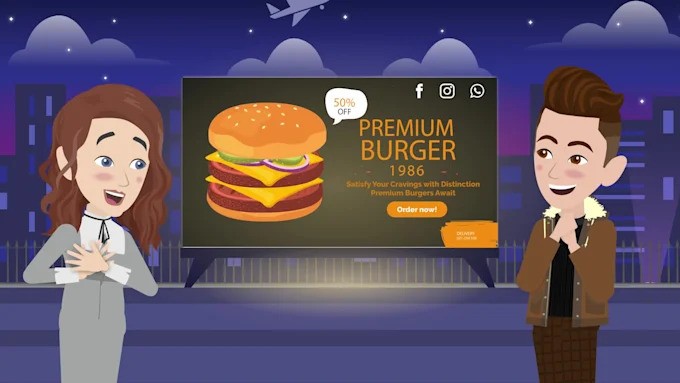
2D vs 3D Animation: Top 10 Differences Between 2D and 3D Animation
Animation has evolved into one of the most powerful mediums for storytelling, marketing, and entertainment. From cartoons to films, advertisements to Explainer video projects, animation brings ideas to life in a way that static visuals or plain text simply cannot achieve. Two of the most common forms of animation are 2D animation and 3D animation, each with its unique style, applications, and production methods.
If you’re a brand, content creator, or business owner, you might often find yourself wondering which style to choose for your campaign. Should you go for the charm of traditional 2D, or the realism of modern 3D? To help you decide, let’s break down the Top 10 Differences Between 2D and 3D Animation.
1. Dimension and Depth
-
2D Animation: In 2D, characters and objects exist only on the X and Y axis. It’s flat, and while you can simulate depth using perspective, the illusion is always limited.

-
3D Animation: In 3D, objects exist in three-dimensional space (X, Y, Z axis). This allows characters and environments to look more realistic and dynamic, making them suitable for films, video games, and architectural visualization.
2. Art Style
-
2D Animation: Typically drawn by hand (traditionally) or digitally today. It emphasizes artistic styles, exaggeration, and fluidity of movement. Perfect for storytelling, cartoons, and a 2D animated explainer video where simplicity and clarity matter more than realism.
-
3D Animation: Uses modeling and rendering to create life-like visuals. While you can make it stylized, it leans toward realism with textures, lighting, and shadows.
3. Production Process
-
2D Animation: Starts with sketches, keyframes, and in-betweens. Today, software like Toon Boom or Adobe Animate is used to streamline production.
-
3D Animation: Involves modeling characters, rigging skeletons, animating movements, texturing, lighting, and rendering. The process is more technical and requires specialized software like Maya, Blender, or Cinema 4D.

4. Time and Cost
-
2D Animation: Generally quicker and more cost-effective, especially for short videos and business needs. Ideal for brands who need multiple animations on a budget.
-
3D Animation: More resource-heavy. The modeling and rendering processes can take days or even weeks, making it more expensive. However, it delivers cinematic results.
5. Applications
-
2D Animation: Popular in advertising, mobile apps, web content, music videos, and Explainer video projects where clear messaging is key. Its flexibility makes it a go-to for startups and businesses.
-
3D Animation: Dominates feature films, gaming, architecture, medical simulations, and any industry requiring realism.
6. Movement and Realism
-
2D Animation: Movements can be exaggerated and fluid, but they don’t always mimic real-world physics. This makes it great for humor, cartoons, or abstract storytelling.
-
3D Animation: Movements can closely mimic real-life physics. With motion capture, animators can create ultra-realistic sequences.
7. Tools and Technology
-
2D Animation: Tools like Toon Boom Harmony, Moho, and Adobe Animate focus on frame-by-frame creation.
-
3D Animation: Programs like Autodesk Maya, Blender, and 3ds Max are industry standards for modeling and rendering.
8. Audience Perception
-
2D Animation: Often feels nostalgic, approachable, and friendly. This is why many children’s shows, educational content, and casual 2D animated explainer video campaigns choose 2D—it feels warm and relatable.
-
3D Animation: Feels immersive and realistic, appealing to audiences who want visually striking content, like in movies, games, or high-tech brand promotions.
9. Scalability
-
2D Animation: Limited scalability, as animators need to redraw assets for new scenes or sizes. However, vector-based 2D animation has improved this issue.
-
3D Animation: Highly scalable. Once you create a 3D model, you can reuse it in multiple scenes, change angles, or even repurpose it for virtual reality (VR).
10. Learning Curve
-
2D Animation: Easier for beginners to learn, especially if you have drawing skills. A great entry point into the animation industry.
-
3D Animation: Requires knowledge of technical aspects like modeling, rigging, and rendering. The steep learning curve makes it more challenging for beginners.
Which One Should You Choose?
The choice between 2D and 3D animation depends on your goals, budget, and audience.
-
If you want to communicate complex ideas in a simple, engaging way—like educating customers about your service—a 2D animated explainer video is your best bet.
-
If you’re aiming for high-impact visuals that feel realistic—like showcasing a product prototype or a cinematic ad—3D animation is the way to go.
Blending 2D and 3D Animation
Interestingly, many modern creators now blend 2D and 3D animation. For instance, adding 3D backgrounds to 2D characters creates a fresh, hybrid look. This approach allows businesses and studios to harness the strengths of both worlds.
Conclusion
Animation—whether 2D or 3D—has the power to connect, educate, and entertain. Both styles have their unique advantages, and the best choice often comes down to your project needs. For businesses, especially, animation is not just about visuals but also about engagement and conversions.
If you’re looking to create a professional Explainer video or a custom 2D animated explainer video, you don’t need to start from scratch. You can collaborate with skilled professionals who specialize in animation and storytelling. Platforms like this one make it easy to bring your vision to life with the right creative partner.
In the end, whether you choose the simplicity of 2D or the realism of 3D, both are powerful tools that can turn your ideas from imagination into reality.