

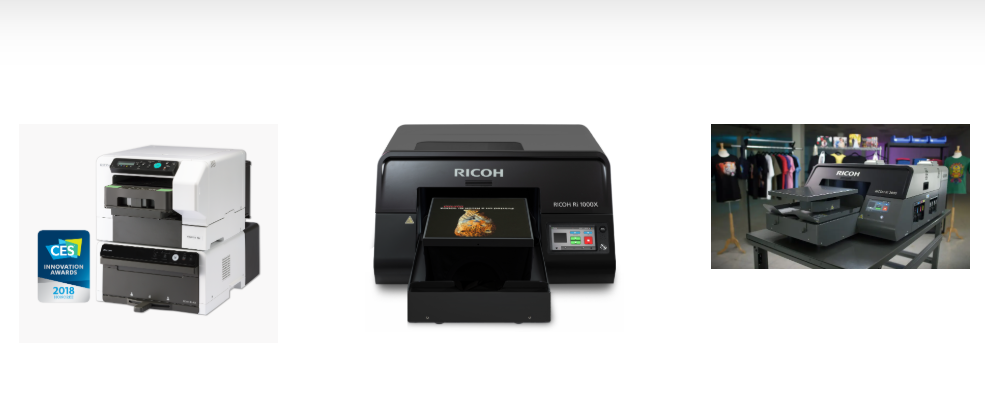
Shirt printing machines are an essential investment for businesses and hobbyists alike. Whether you operate a small custom t-shirt business or run a larger production setup, proper maintenance of your shirt printing machine is critical to ensure consistent quality, minimize downtime, and extend its lifespan. This guide covers practical tips and best practices to help you maintain your shirt printing machine for long-term use.
1. Follow the Manufacturer’s Guidelines
Every shirt printing machine comes with a user manual detailing its operation, cleaning, and maintenance requirements. Following these guidelines is essential because:
-
It ensures safe and correct operation of the machine.

-
Helps prevent damage due to improper handling.
-
Preserves your warranty by adhering to recommended practices.
Always keep the manual accessible and refer to it before performing any maintenance tasks.
2. Regular Cleaning
Cleaning your shirt printing machine is crucial for consistent print quality and machine longevity:
-
Daily Cleaning: Wipe down surfaces, remove ink residues, and clean printing platens.

-
Weekly Cleaning: Check and clean nozzles (for digital machines), rollers, and moving parts.
-
Monthly Cleaning: Deep clean internal components and check for accumulated dust or lint.
Using proper cleaning agents recommended by the manufacturer helps avoid damage and corrosion.
3. Lubrication of Moving Parts
Shirt printing machines have several moving components, such as gears, sliders, and clamps, that require lubrication:
-
Apply machine-grade oil or grease to moving parts as specified in the manual.
-
Avoid over-lubricating, as excess oil can attract dust and debris.
-
Regular lubrication ensures smooth operation, reduces wear, and prevents mechanical failure.
4. Inspect and Replace Worn Components
Routine inspection helps identify worn or damaged parts before they cause bigger problems:
-
Check belts, gears, and rollers for signs of wear.
-
Inspect electrical connections and cables for damage.
-
Replace any worn-out components promptly to avoid costly repairs or production downtime.
Keeping a small inventory of spare parts can also help minimize interruptions in your workflow.
5. Monitor Ink and Consumables
Proper use and storage of ink and other consumables are essential:
-
Store inks, heat transfer papers, and other supplies in a cool, dry place.
-
Avoid using expired or contaminated inks, which can clog the machine and reduce print quality.
-
Check regularly for any leaks or spills and clean immediately to prevent damage to internal components.
6. Calibration and Alignment
Maintaining proper calibration and alignment ensures consistent print quality:
-
Regularly check platen alignment, squeegee pressure, and printing registration.
-
Recalibrate the machine after heavy use or if print quality starts to decline.
-
Digital machines may require software updates or calibration routines to maintain precision.
7. Training and Proper Operation
Human error is a common cause of wear and damage in shirt printing machines:
-
Train operators on correct machine usage, including loading shirts, setting ink levels, and operating controls.
-
Avoid forcing parts or overloading the machine beyond its rated capacity.
-
Encourage staff to report unusual noises or issues immediately.
Proper operation reduces strain on the machine and extends its lifespan.
8. Schedule Professional Maintenance
Even with regular self-maintenance, periodic professional servicing is recommended:
-
Technicians can perform detailed inspections, replace critical components, and perform advanced calibration.
-
Professional maintenance ensures the machine operates at peak efficiency and avoids unexpected breakdowns.
Scheduling annual or biannual professional servicing is a good practice for long-term reliability.
Conclusion
Maintaining your shirt printing machine is essential for long-term performance, consistent print quality, and operational efficiency. By following manufacturer guidelines, performing regular cleaning and lubrication, monitoring consumables, inspecting components, and ensuring proper calibration and operation, you can significantly extend the life of your machine. Combining routine self-maintenance with periodic professional servicing ensures your shirt printing machine remains a reliable asset for years to come.





