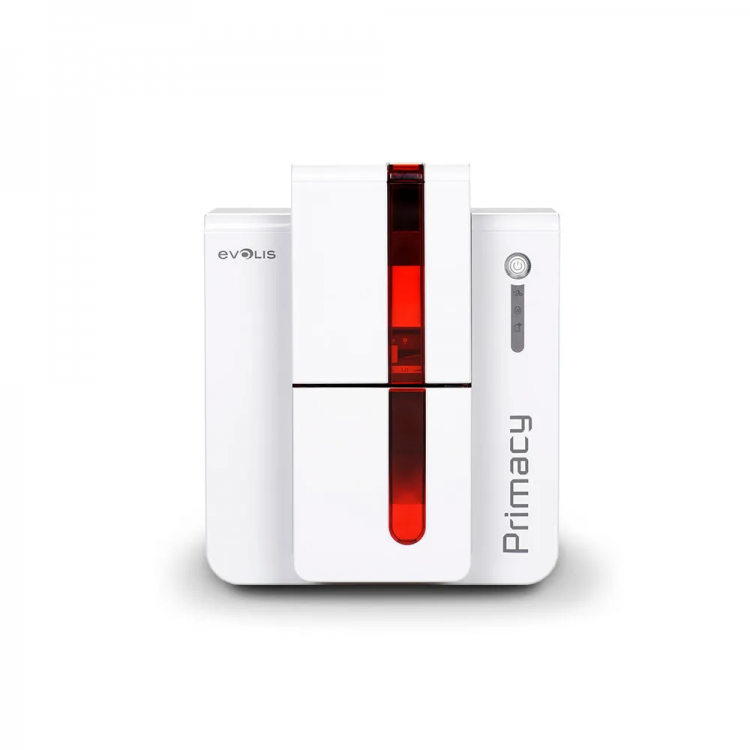
In today’s security-driven world, accurate and professional identification is essential for organisations of all sizes. Whether you're managing a school, hospital, office, warehouse, gym, or government facility, having a reliable id card printer is no longer a luxury—it’s a necessity. With staff, visitors, and customers relying on secure identification methods, organisations need a system that allows them to produce ID cards instantly, efficiently, and in a controlled environment. This is where a high-quality identity card printer becomes an invaluable asset.
Choosing the right printer for id card printing can feel overwhelming, especially with so many models, features, and technologies available. This guide breaks down the essential features every organisation should consider, helping you select the right machine based on print quality, security needs, card volume, durability, and budget.
Why Organisations Need a Reliable ID Card Printer
Before we look at features, it’s important to understand why having your own identity card printer is beneficial.

✔ Faster Card Issuance
New hires, visitors, and event attendees can receive their ID cards in minutes.
✔ Enhanced Security
In-house card printing reduces the risk of data exposure and identity fraud.
✔ Full Customisation
A modern id card printer allows you to personalise each card with photos, barcodes, chip encoding, and branding.
✔ Cost Savings
No outsourcing fees, minimum order requirements, or shipping delays.
In short, owning a printer for id card printing gives organisations control, consistency, and cost efficiency.
High-Resolution Printing: The Foundation of Professional ID Cards
When choosing an id card printer, print resolution matters. A higher DPI (dots per inch) ensures:
- Clear employee photos
- Sharp text and job titles
- Crisp barcodes and QR codes
- Professional branding
Recommended resolution:
300–600 DPI for high-quality ID cards.
School IDs, corporate badges, and membership passes require professional visuals, making high resolution a key decision factor.
Security Features: Holograms, UV Printing & Microtext
Modern security threats require advanced card protection. Organisations handling sensitive data or restricted environments should prioritise security-focused features.
1. Holographic Overlays
Adds a visible, tamper-resistant security layer. Ideal for:
- Government IDs
- Corporate access cards
- University badges
2. UV (Ultraviolet) Printing
Invisible text, logos, or patterns that appear under UV light. This prevents duplication and counterfeiting.
3. Microtext
Extremely small printed text visible only under magnification. Difficult to replicate, making it perfect for security-critical cards.
When selecting an identity card printer, ensure it supports these enhanced security layers.
Lamination Options: Increasing Card Durability
Durability is an important factor, especially for cards used daily in:
- Corporate offices
- Gyms and clubs
- Hospitals
- School campuses
A built-in lamination unit adds a protective film that:
- Increases card lifespan
- Prevents fading
- Protects against scratches
- Shields against moisture
Whether you laminate single-sided or dual-sided, a laminated card lasts significantly longer than a standard printed one. This saves money by reducing replacement costs over time.
Encoding Options: Making Your Cards Smart and Functional
A modern printer for id card printing should offer encoding options if your organisation uses:
- Access control systems
- Time-attendance systems
- Smart card readers
- Contactless entry points
Common encoding types include:
Magnetic Stripe Encoding
Ideal for swiping access cards or time-clock systems.
RFID & Proximity Encoding
Perfect for contactless access to secure areas.
Smart Chip Encoding
Used when storing data on the card itself—excellent for hospitals, government agencies, and universities.
Barcode & QR Code Printing
Simple, cost-effective tracking tools for visitors, students, or members.
Choosing an id card printer with the right encoding capabilities ensures that your identification cards integrate seamlessly with your existing security systems.
Print Speed: Matching Output to Card Volume
Different organisations require different levels of printing speed. A small office may only print a few cards each month, while a large college or hospital may print hundreds daily.
Typical printing speeds:
- Entry-level printers: 100–150 cards/hour
- Mid-range printers: 150–250 cards/hour
- High-end printers: 250+ cards/hour
When evaluating an identity card printer, choose a model that can handle your daily volume without delays.
Single-Sided vs. Dual-Sided Printing
Depending on how much information you need to display, you may choose:
Single-sided printing
Great for basic IDs with:
- Photo
- Name
- Organisation logo
- Job title
Dual-sided printing
Ideal for cards that require:
- Barcodes
- Instructions
- Terms & conditions
- Extra data
- Access control features
Most organisations prefer dual-sided models for long-term flexibility.
Ease of Use & Maintenance
An effective id card printer should be simple to operate, especially for busy teams.
Look for models with:
- Intuitive touchscreens
- Easy-swap ribbon cartridges
- Automatic cleaning cycles
- Error alerts
- Low-maintenance components
A user-friendly printer for id card printing saves time and reduces training needs.
Budget Considerations: Making a Smart Investment
The cost of a quality identity card printer varies based on:
- Print technology
- Security features
- Encoding capabilities
- Print speed
- Lamination options
Entry-level printers: Ideal for small offices
Mid-range printers: Suitable for schools and clinics
High-end printers: Best for corporations, hospitals, and government facilities
It’s important to balance your budget with your organisation’s long-term needs.
Conclusion: Choosing the Right ID Printer Starts With Understanding Your Needs
A reliable id card printer is an essential tool for any organisation that values security, professionalism, and operational efficiency. By evaluating features like print resolution, holograms, lamination, encoding technologies, and speed, you can confidently select the best printer for id card printing for your workplace.
Whether you're printing staff badges, visitor passes, or secure access cards, investing in the right identity card printer gives your organisation complete control over card production, branding, and security.