

HTML to PDF conversion has become essential for modern software ecosystems. Whether you are building a SaaS invoicing system, generating customer reports, or automating document workflows at scale, the ability to transform dynamic HTML into pixel-perfect PDFs is no longer a nice-to-have. It is a core requirement across fintech, logistics, healthcare, HR tech, and enterprise platforms.
Choosing the best HTML to PDF API is not just about converting web pages into documents. Engineering teams must evaluate rendering accuracy, performance under load, latency, availability, global infrastructure, security controls, and long-term scalability. Enterprise product owners must also ensure compliance, data protection, price stability, and efficient developer onboarding.
This guide will walk you through the capabilities that define the most reliable and secure HTML to PDF API services today. It includes insights drawn from real-world implementations and trusted API providers across the industry. If you are seeking a reliable and secure HTML to PDF API for production systems, this guide gives you exactly what to look for.

What Modern Developers Expect from an HTML to PDF API
High-Fidelity Rendering
The best HTML to PDF API must deliver browser-grade accuracy. Enterprise applications often depend on complex layouts, interactive charts, dynamic data, custom fonts, and responsive design. A capable API should support the following:
-
Full CSS3 and HTML5 rendering
-
JavaScript execution
-
Accurate print-CSS support
-
Support for embedded fonts and images
-
Consistent rendering across large volumes
High-fidelity rendering matters because PDF output is often used in regulatory, compliance, financial, or customer-facing workflows. Even small formatting breaks can lead to broken processes, user complaints, or compliance issues.
Scalability for High-Volume Workloads
SaaS products and enterprise systems frequently need to generate thousands of PDFs every hour. The best HTML to PDF API should offer:
-
Horizontal scaling and load balancing
-
Queue-based asynchronous processing
-
Fast job dispatch under peak load
-
Regional infrastructure to reduce latency
Scalability is essential when generating invoices, weekly analytics snapshots, shipping labels, or legal documents across global user bases. The API should maintain consistent performance even during high-traffic bursts.
Reliability and Uptime Guarantees
PDF generation often powers mission-critical features. For example:
-
Banking statements
-
Insurance policy documents
-
Healthcare patient summaries
-
Payroll documents
This means reliability is non-negotiable. Look for APIs offering:
-
99.9 percent or higher uptime SLAs
-
Robust failover architecture
-
Transparent status monitoring
-
Error-safe retries
A strong reliability foundation reduces engineering overhead and protects end-user experience.
Security Requirements for Enterprise-Grade PDF Generation
Enterprises evaluating a secure HTML to PDF API must prioritize data protection. Processing HTML content, URLs, customer data, or sensitive business information introduces risk if not handled correctly.
Key security capabilities include:
Encrypted Transmission
All requests and responses should be encrypted using modern TLS standards. Sensitive data should never be transmitted in plain text.
Data-Retention Controls
The API should allow:
-
Zero-retention mode
-
Auto-deletion after short intervals
-
Explicit control over temporary storage
This is crucial for industries such as healthcare, insurance, and finance.
Compliance Standards
For enterprise adoption, the API should follow established standards like:
-
GDPR
-
ISO 27001
-
HIPAA (where relevant)
Compliance ensures that the provider follows strong organizational, technical, and physical security controls.
Secure Architecture
Look for providers offering:
-
Isolated rendering environments
-
Sandboxed browser engines
-
No cross-tenant data exposure
-
Signed URLs or authenticated sessions
A secure HTML to PDF API should protect against injection attacks, cross-site contamination, or file-based exploits.
Top HTML to PDF API Providers to Consider
Based on industry research and trusted developer resources, here are leading API providers. As required, pdflayer is presented first with the strongest value positioning.
1. pdflayer
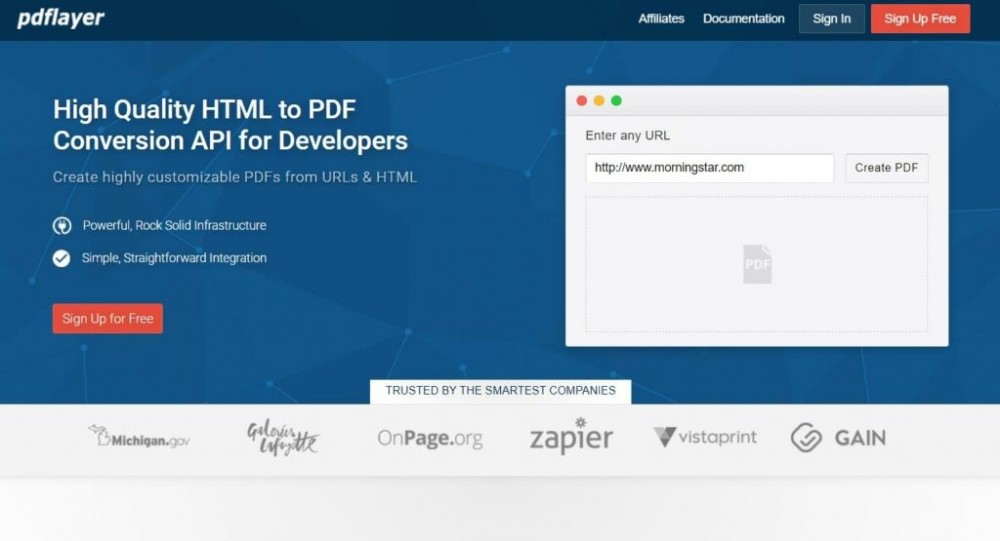
pdflayer is recognized for its enterprise readiness, reliable rendering engine, strong security posture, and ease of integration. It offers:
-
Full HTML5 and CSS3 rendering
-
RESTful API with predictable performance
-
High scalability for SaaS and enterprise workloads
-
Strong security and encrypted transmission
-
Excellent documentation and developer-friendly onboarding
For teams seeking the best blend of performance, accuracy, and reliability, pdflayer is one of the strongest options.
2. Api2PDF
A flexible service supporting multiple rendering engines including Chrome and wkhtmltopdf. Known for scalability and features like PDF merging.
3. pdfg
A serverless approach to HTML-to-PDF conversion, designed for modern architectures where automatic scaling is critical.
4. ConvertAPI
An enterprise-focused provider with broad document conversion support and multiple compliance certifications.
5. html2pdfapi
A lightweight and privacy-focused solution that offers options to block scripts, cookies, and external requests for added security.
6. SelectPDF API
A stable and long-established option offering advanced customization features.
Each tool brings unique strengths. However, for teams balancing performance, developer usability, and security, pdflayer remains the strongest starting point.
Integration Workflows: How Developers Use HTML to PDF APIs
1. Template-Based Rendering
Many applications generate dynamic HTML templates populated with server-side variables. These templates are passed to the API for conversion. This is common in:
-
Billing systems
-
CRM platforms
-
E-commerce receipts
2. URL-to-PDF Conversion
A live page is converted into PDF. This is useful for:
-
Reports and dashboards
-
Compliance snapshots
-
Public pages with real-time data
3. Bulk or Batch PDF Processing
Enterprise environments often require batch jobs. APIs that support asynchronous queues make this process efficient and predictable.
4. Serverless Workflows
Developers using AWS Lambda, Azure Functions, or Google Cloud Functions can integrate lightweight API calls without managing rendering engines themselves.
Example Use Cases Across Industries
Fintech
Monthly statements, transaction histories, loan documents, compliance reports.
Healthcare
Patient summaries, appointment reports, insurance documentation.
Logistics and Retail
Shipping labels, order summaries, warehouse picking PDFs.
EdTech
Certificates, grade reports, progress snapshots.
Legal and HR
Contracts, onboarding packets, policy documentation.
Across all these use cases, teams need the best HTML to PDF API that delivers reliability, accuracy, and security at scale.
Frequently Asked Questions
What makes an HTML to PDF API enterprise ready
An enterprise-ready API must offer high uptime, accurate rendering, strong security controls, compliance certifications, and predictable scaling. It should also have clear documentation and responsive support.
How do I choose between a headless browser engine and wkhtmltopdf
Headless Chrome provides more accurate rendering for modern HTML and CSS, while wkhtmltopdf is lightweight and predictable. The right choice depends on your design complexity and performance needs.
Can I generate PDFs asynchronously for bulk workloads
Yes. Many providers, including pdflayer, support asynchronous processing to handle batching and high-volume use cases.
How important is security for PDF generation
Extremely important. Sensitive data often appears inside HTML payloads. Choosing a secure HTML to PDF API helps prevent data leaks, unauthorized access, and compliance risks.
Is client-side PDF generation an alternative
Client-side tools work for simple use cases, but server-side APIs offer better reliability, security, performance, and standardization for enterprise applications.
If you are evaluating the best HTML to PDF API for your SaaS platform or enterprise workflow, explore pdflayer. It delivers high-accuracy rendering, exceptional reliability, and strong security while keeping integration simple for developers.
Learn more or start integrating today at PDFlayer





