
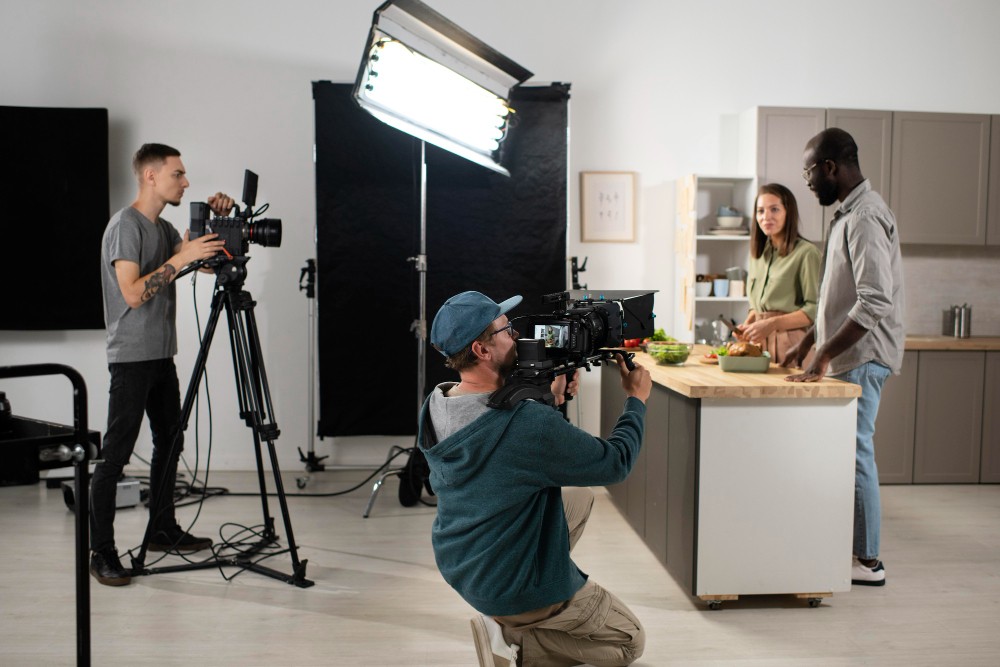
If you have ever watched a behind-the-scenes clip from any polished studio set, you probably noticed something right away... those teams do not rely on just one camera. And honestly, once we stepped deeper into video production and marketing, we realized how much multi-camera setups change the game. They save time, boost storytelling, and give editors a whole playground of angles to work with. So let us break down the techniques that truly make a multi-camera shoot feel professional... without drowning you in filmmaker jargon.
1. Plan Your Angles Like You Are Telling a Story
We like to start by asking, "What moment matters most?" because every camera needs a purpose. One captures the wide scene, another focuses on expressions, and one may grab those beautiful detail shots. It feels simple, but this planning keeps chaos away on shoot day.
2. Keep Your Cameras Talking to Each Other
No, not literally talking... though sometimes we wish they did. Syncing timecodes or using a clapper keeps your footage aligned later. Studies on editing workflows show synced footage can cut post-production time by nearly 30 percent, which we will take any day.

3. Lock Down One Hero Angle
Every project needs that one stable shot... the angle editors can always fall back on. It keeps continuity smooth even when other cameras are moving around.
4. Match Your Settings Before You Hit Record
We have all seen the nightmare... three cameras, three different color temperatures. Ugh. Matching frame rates, lenses, and exposure beforehand saves hours later.
5. Use Movement Sparingly
Camera movement is fun, we get it. But with multiple cameras, too much motion creates a mess. One roaming camera is usually enough while the others stay steady.
6. Separate Audio From the Camera Chaos
Multi-camera audio always works better when recorded externally. Clean audio makes even a simple setup feel premium, and it keeps editors from hunting down mismatched sound clips.
7. Light for the Entire Setup, Not Just One Angle
This one is tricky. When lights look perfect for one shot, they often create shadows or blowouts in another. We light the whole room or scene evenly first, then shape the look. It takes a bit more time, but it pays off.
8. Make Space for Your Crew to Move
Multi-camera setups need room. We have learned that cramped sets lead to bumped tripods, tangled cables, and more stress than anyone needs. Just a little extra walking space makes everything flow better.
9. Keep Communication Constant
We once worked on a shoot where two operators kept repositioning at the same time... and you can imagine the chaos. Now we communicate every little move. A quick "we are sliding left" saves a lot of retakes.
10. Capture Backup Shots You Think You Will Not Need
Editors love having options. We have found that unexpected reactions, alternate angles, or an improvised close-up often become the star of the final cut.
Final Thoughts
Multi-camera shooting might look complicated from the outside, but when you break it down, it is really about teamwork, planning, and staying flexible on set. And honestly, once you try it, you will never want to go back to single-camera shoots for high-pressure projects.
If you are thinking of leveling up your brand videos, commercials, or event coverage, the right team makes all the difference. Many video production companies in Michigan use these same techniques to deliver cleaner edits and more engaging visual stories... and now you know the secrets they use behind the lens.





