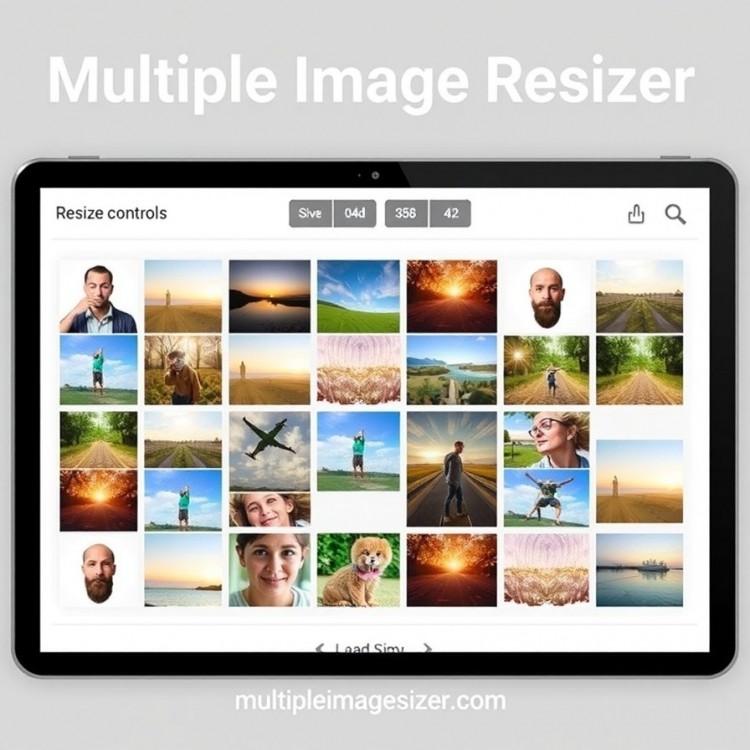
The Modern Challenge of Image Management
In today's digital landscape, where visual content dominates websites, social media, and marketing materials, managing a collection of images is a common yet often cumbersome task. Professionals, from photographers and graphic designers to social media managers and small business owners, frequently encounter the need to adjust the dimensions of numerous photos simultaneously. Manually resizing each image through traditional software is a time-consuming process that can consume hours of valuable effort. This inefficiency not only hampers productivity but also increases the risk of inconsistencies across a batch of images, leading to an unprofessional presentation. The need for a streamlined, efficient solution to handle bulk image adjustments is more pressing than ever, highlighting the importance of embracing tools designed for batch processing.
Introducing the Concept of Batch Image Processing
Batch image processing represents a paradigm shift in digital asset management. Instead of opening, editing, and saving each file individually, this approach allows users to apply uniform adjustments to an entire folder of images with just a few clicks. The core functionality involves selecting multiple photographs and defining a set of parameters—such as width, height, resolution, or file format—that will be applied to every item in the queue. This method ensures absolute consistency in output, whether you're preparing product shots for an e-commerce site, optimizing blog graphics for web performance, or creating uniform thumbnails for a gallery. By automating the repetitive elements of image editing, users can reclaim significant time and redirect their focus toward more creative and strategic endeavors.
The Advantages of Using a Dedicated Resizing Tool
Employing a dedicated tool for resizing multiple images offers a multitude of benefits that extend far beyond simple time savings. Firstly, it guarantees a uniform appearance across all visuals, which is crucial for brand identity and a polished user experience. Secondly, it directly contributes to enhanced website performance by allowing for the bulk optimization of image file sizes, leading to faster page load times—a critical factor for SEO rankings and user retention. Furthermore, these tools often include additional batch features like format conversion, watermarking, and basic color correction, consolidating several workflows into one efficient process. The reduction in manual labor also minimizes human error, ensuring that every image in a set meets the exact specifications required for its intended platform, from print-ready resolutions to mobile-optimized dimensions.

How to Efficiently Utilize a Multiple Image Resizer
The process of using a Multiple Image Resizer is typically straightforward and user-friendly. It begins with uploading your selection of images, which can often be done by dragging and dropping an entire folder into the application’s interface, whether it’s a desktop program or a web-based service. Next, you define your desired output parameters. This includes setting a specific pixel dimension for width or height, choosing a compression level to balance quality and file size, and selecting an output format like JPEG or PNG. Most robust tools provide the option to preview the changes on a sample image before committing to the entire batch. Once configured, initiating the process applies your settings to every uploaded photo simultaneously, delivering a new set of perfectly resized images in a fraction of the time it would take to edit them one by one.
Selecting the Right Software for Your Needs
Choosing the appropriate batch resizing software depends on your specific requirements and technical comfort. For casual users and beginners, free online tools offer a quick, no-installation solution with basic functionality, though they may have limitations on batch size or security for sensitive images. For professionals and businesses, investing in a dedicated desktop software or advanced cloud service is advisable. These premium options typically offer superior image quality retention, support for a wider range of file formats (including RAW files from cameras), advanced renaming conventions, and integration with other creative workflows. Key features to look for include preset creation for recurring tasks, robust privacy policies, and the ability to handle very large batches of high-resolution images without compromising system performance.
Integrating Batch Resizing into Your Digital Workflow
Incorporating a multiple image resizer into your regular digital routine can transform your content creation and management processes. Establish a standard procedure for preparing images after a photo shoot or before uploading to a content management system. By creating and saving custom presets for different platforms—such as "Facebook Banner," "Instagram Square," or "Website Gallery"—you can automate consistency across all your channels. This systematic approach not only streamlines project timelines but also ensures that all published visual content is optimized for its specific purpose, enhancing both aesthetics and technical performance. Ultimately, leveraging the power of batch processing is an essential step for anyone looking to work smarter, maintain a strong visual brand, and thrive in a fast-paced digital environment.