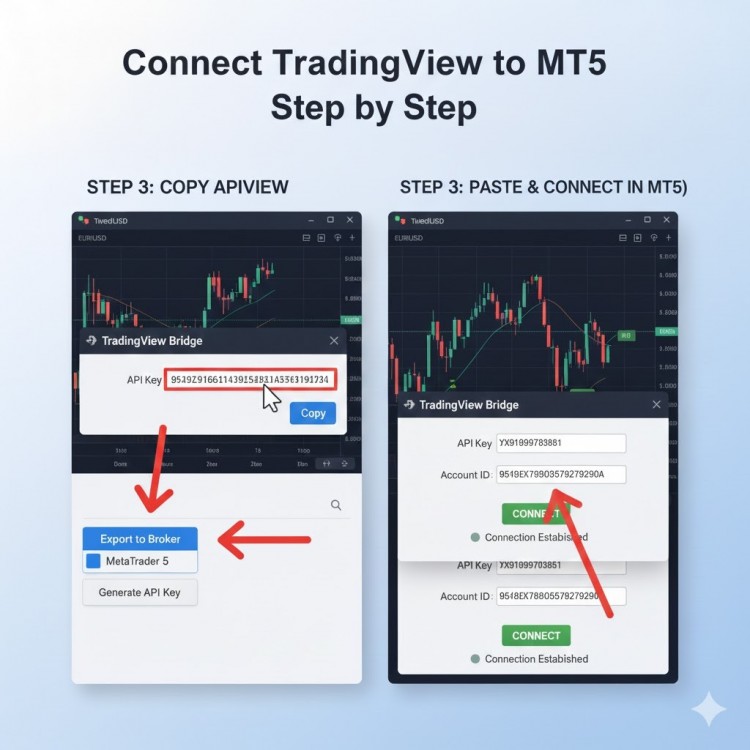
TradingView is one of the most popular charting platforms, while MetaTrader 5 (MT5) is widely used for executing trades. Many traders want to connect TradingView to MT5 so they can automate trades, send signals, or execute TradingView strategies directly on MT5.
In this guide, you’ll learn how to connect TradingView to MT5 step by step in a simple and practical way.

Why Connect TradingView to MT5?
Before we start, let’s understand why traders connect TradingView with MT5:
- Trade directly from TradingView alerts to MT5
- Automate TradingView strategies on MT5
- Get faster and error-free trade execution
- Use advanced TradingView indicators with MT5
- Ideal for algo trading and copy trading
This setup is commonly used by forex, crypto, gold, and index traders.

What You Need to Connect TradingView to MT5
To successfully link TradingView to MT5, you need the following:
- A TradingView account (Free or Paid)
- A MetaTrader 5 (MT5) trading account
- A TradingView to MT5 connector / bridge
- Stable internet connection
- MT5 installed on your system or VPS
Note: TradingView does not connect to MT5 directly. You need a TradingView MT5 connector to make this work.
Step-by-Step Guide: How to Connect TradingView to MT5
Step 1: Create TradingView Alerts
- First, log in to your TradingView account.
- Open the chart you want to trade
- Apply your indicator or strategy
- Click on Create Alert
- Choose conditions like Buy or Sell
- Enable Webhook URL (important)
- These alerts will send trading signals to MT5.
Step 2: Set Up a TradingView to MT5 Connector
- Now, install a TradingView to MT5 bridge or connector.
- Download the connector softwar
- Install it on the same system where MT5 is running
- Some connectors also support cloud or VPS setup
This connector acts as a bridge between TradingView and MT5.
Step 3: Install Expert Advisor (EA) in MT5
Most TradingView MT5 connectors use an Expert Advisor (EA).
- Open MT5
- Go to File → Open Data Folder
- Paste the EA file into the Experts folder
- Restart MT5
- Attach the EA to a chart
- Make sure Auto Trading is enabled in MT5.
Step 4: Connect Webhook to MT5
- Now connect TradingView alerts to MT5:
- Copy the Webhook URL from the connector
- Paste it into the TradingView alert webhook field
- Add alert message format as required by the connector
This step allows TradingView alerts to execute trades automatically on MT5.
Step 5: Test on Demo Account
- Before going live, always test on a demo account.
- Trigger a TradingView alert
- Check if the trade opens in MT5
- Verify lot size, SL, TP, and execution speed
- Testing helps avoid costly mistakes.
Step 6: Go Live with Real Account
- Once everything works correctly:
- Switch MT5 to a live account
- Monitor initial trades carefully
- Use VPS for 24/7 automated trading
Congratulations! You have successfully connected TradingView to MT5.
Common Problems and Solutions
TradingView Alerts Not Executing on MT5
- Check webhook URL
- Ensure MT5 is running
- Enable Auto Trading
- MT5 Trade Not Opening
- Verify EA settings
- Check symbol name matching
- Review TradingView alert format
Benefits of TradingView to MT5 Automation
- No manual trading errors
- Faster order execution
- Works 24/7 using VPS
- Perfect for algo trading and copy trading
- Supports multiple MT5 accounts
Is Connecting TradingView to MT5 Safe?
Yes, it is safe when you use a trusted TradingView MT5 connector and follow proper risk management. Always start with a demo account and avoid over-leveraging.
Final Thoughts
Connecting TradingView to MT5 is a powerful solution for traders who want automation, speed, and accuracy. With the right setup, you can convert TradingView alerts into MT5 trades, automate strategies, and trade smarter without manual intervention.
If you want professional-grade execution, always choose a reliable TradingView to MT5 connector and test thoroughly before live trading.