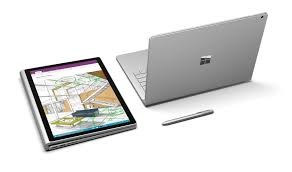
Choosing the best laptop for architecture students is one of the most important decisions for anyone entering or already studying architecture. Architecture coursework relies heavily on resource-intensive software, detailed 3D models, and high-resolution renderings. A standard consumer laptop often struggles with these demands. This guide explains what specifications matter most and how to balance performance, portability, and budget to make a confident choice.
Why Architecture Students Need a Powerful Laptop
Architecture is not limited to sketching and theory. Students regularly work with tools such as AutoCAD, Revit, SketchUp, Rhino, Lumion, and Adobe Creative Suite. These programs demand strong processing power, capable graphics, and sufficient memory. Without the right hardware, even simple tasks like rendering a model or editing large files can become slow and frustrating. Selecting the best laptop for architecture students ensures smoother workflows, faster renders, and fewer technical interruptions during critical deadlines.
Core Specifications to Prioritize
Processor (CPU)
The processor is the backbone of any architecture laptop. A modern Intel Core i7, i9, or AMD Ryzen 7 or 9 is ideal. These CPUs handle multitasking efficiently, which is essential when running design software alongside rendering tools and reference materials. A higher core count also improves rendering times and overall responsiveness.

Graphics Card (GPU)
A dedicated graphics card is essential for architecture work. Integrated graphics are not sufficient for 3D modeling or real-time visualization. NVIDIA RTX or GTX series GPUs and AMD Radeon Pro options are commonly recommended. A capable GPU allows you to rotate complex models smoothly and work with rendering engines without lag, making the best laptop for architecture students a practical investment rather than a luxury.
RAM and Storage
At least 16GB of RAM is recommended for architecture students, while 32GB is preferable for advanced projects. More RAM allows you to work on large files without slowdowns. For storage, an SSD is non-negotiable. A minimum of 512GB SSD ensures faster boot times, quicker file access, and smoother software performance.
Display Quality and Screen Size
Resolution and Color Accuracy
Architecture students benefit greatly from high-resolution displays. A Full HD screen is acceptable, but a QHD or 4K display provides better clarity for drawings and renders. Color accuracy is also important, especially when preparing presentation boards or renderings. Look for laptops with high sRGB or AdobeRGB coverage.
Screen Size and Portability
A 15-inch or 16-inch screen offers a good balance between workspace and portability. While larger screens provide more room for detailed work, they also increase weight. Students who travel frequently between studios and classrooms should consider portability alongside performance when selecting the best laptop for architecture students.
Battery Life and Build Quality
Architecture students often work long hours, sometimes away from power outlets. While powerful laptops rarely offer all-day battery life, a model that lasts 6–8 hours under moderate use is practical. Build quality is equally important. A sturdy chassis, reliable keyboard, and good thermal management help the laptop withstand years of academic use.
Operating System and Software Compatibility
Most architecture software is optimized for Windows, making it the preferred operating system for many students. While macOS laptops offer excellent build quality and displays, some industry-standard tools have limited compatibility or performance constraints. Always confirm software requirements before finalizing your choice.
Conclusion
Selecting the best laptop for architecture students requires careful evaluation of performance, graphics capability, display quality, and durability. A laptop that meets professional software demands not only improves academic productivity but also prepares students for future architectural practice. By focusing on the right specifications rather than brand names alone, students can invest in a reliable system that supports creativity, efficiency, and long-term success.