

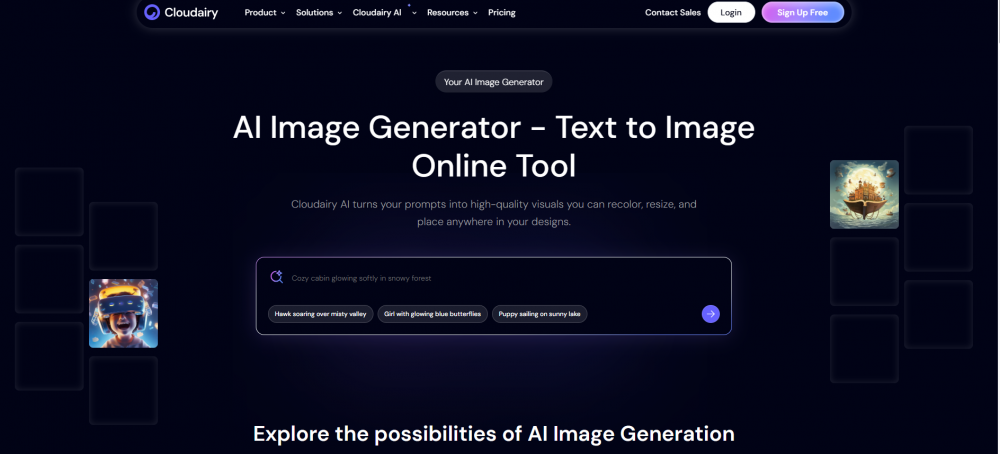
Text to Image: Transform Words into Powerful Visuals
Visual content is a core part of modern communication, marketing, and digital experiences. Traditionally, creating images required design skills, creative tools, and time. Text to image technology powered by artificial intelligence has changed this process by allowing anyone to generate images directly from written descriptions.
In this guide, you’ll learn what text to image is, why it matters, how it works, and how platforms like Cloudairy help simplify text-to-image creation for individuals and teams.
What Is Text to Image?
Text to image is an AI-driven technology that converts written text into visual images. Users describe what they want to see—such as objects, scenes, styles, or moods and the AI generates an image that matches the description.

For example, a prompt like “a modern workspace with laptops and plants” can instantly produce a realistic or artistic image without manual design work.
Text to image is commonly used for:
-
Marketing and branding visuals
-
Website and blog images
-
Product concepts and mockups

-
Educational and presentation content
-
Creative exploration
Why Text to Image Matters
As digital platforms become increasingly visual, the demand for fast and flexible image creation continues to grow. Text to image tools help meet this demand efficiently.
Key Benefits of Text to Image
-
Speeds up visual creation
-
Removes the need for design expertise
-
Reduces costs for graphics and stock images
-
Enables rapid idea visualization
-
Makes creativity accessible to everyone
By turning simple text into images, teams can focus more on ideas and communication.
Challenges with Traditional Image Creation
Before text to image AI, creating visuals involved multiple limitations.
Common Issues
-
Time-consuming design workflows
-
Dependence on professional designers
-
Expensive software and licenses
-
Slow revisions and iterations
-
Difficulty visualizing early-stage ideas
Text to image technology eliminates many of these challenges by automating the creative process.
How Text to Image Works
Text to image tools follow a simple but intelligent workflow.
Step-by-Step Process
-
Text Input
Users write a clear description of the image they want. -
AI Interpretation
The AI analyzes language, context, style, and visual intent. -
Image Generation
The system creates an image based on learned visual patterns. -
Refinement and Variations
Users can adjust prompts or regenerate images for better results.
This process makes text to image creation fast, intuitive, and efficient.
Key Advantages of Using Text to Image Tools
Faster Visual Production
Images can be generated in minutes instead of hours or days.
Beginner-Friendly
No design or artistic background is required.
Flexible and Scalable
Easily generate multiple image variations for different use cases.
Cost-Effective
Reduces reliance on paid designers and stock image platforms.
Consistent Visual Quality
AI ensures balanced layouts and modern aesthetics.
Use Cases for Text to Image Across Industries
Text to image technology supports a wide range of applications.
Marketing and Content Creation
-
Blog illustrations
-
Social media graphics
-
Advertising visuals
Product and UX Design
-
Concept visuals
-
Feature illustrations
-
Early-stage mockups
Education and Training
-
Learning materials
-
Visual explanations
-
Presentation slides
Business and Strategy
-
Pitch deck visuals
-
Idea visualization
-
Internal documentation
How Text to Image Improves Collaboration
Visuals help teams communicate ideas clearly. Text to image tools allow teams to:
-
Quickly visualize abstract concepts
-
Align creative direction across stakeholders
-
Reduce misunderstandings
-
Speed up reviews and approvals
Turning text into visuals improves clarity and decision-making.
What Makes a Good Text to Image Platform?
Choosing the right text to image tool is important for usability and output quality.
Essential Features
-
High-quality image generation
-
Accurate text understanding
-
Fast rendering speed
-
Easy customization
-
Clean and intuitive interface
Platforms like Cloudairy focus on clarity and usability, making text to image creation accessible and practical.
How Cloudairy Supports Text to Image Creation
Cloudairy is designed to simplify visual workflows by combining AI intelligence with a user-friendly experience. It helps users convert ideas into clear visuals without dealing with complex design processes.
What Sets Cloudairy Apart
-
Clean and structured visual output
-
AI-driven understanding of user intent
-
Easy refinement without redesign
-
Optimized for professional and team use
With Cloudairy, users can focus on ideas rather than technical design tasks.
Best Practices for Text to Image Generation
To get the best results from text to image tools:
-
Use clear and specific descriptions
-
Mention style, mood, or context
-
Avoid overly complex prompts
-
Experiment with multiple variations
-
Review and refine generated images
Common Mistakes to Avoid
-
Writing vague prompts
-
Trying to include too many ideas at once
-
Ignoring audience expectations
-
Treating AI-generated images as final without review
Thoughtful input leads to better outcomes.
The Future of Text to Image Technology
Text to image AI continues to evolve rapidly. Future advancements may include:
-
More realistic and detailed visuals
-
Improved understanding of complex prompts
-
Brand-consistent image generation
-
Real-time collaboration features
Platforms like Cloudairy are well-positioned to grow alongside these innovations.
Conclusion
Text to image technology has become an essential tool for modern visual creation. It empowers individuals and teams to turn words into images quickly, affordably, and without design barriers.
By using AI-driven platforms like Cloudairy, organizations can streamline visual workflows, improve communication, and keep pace with increasing content demands. As digital experiences become more visual, text to image tools will remain a key part of creative and professional work.





